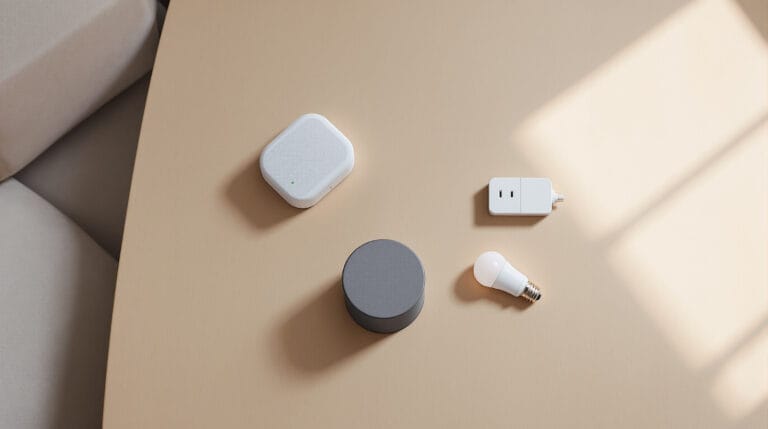
Some of the smartest decisions start with mistakes.
When I started building my smart home setup over 7 years ago, I made one of the biggest ones you can: I subscribed to a smart home/alarm package through my internet provider. It came with a few basic devices — a smart bulb, some cameras, a touchpad door lock — and promised an “all-in-one” security and automation solution.
The problem? It was clunky. The tech was already behind the curve, the cameras were grainy and laggy, and the whole system felt like it was built for a world that had already moved on. I stuck with it for a while, added a few Google devices, and then — finally — moved over to the Alexa/Eero/Ring ecosystem.
And honestly? I haven’t looked back.
If I were starting over today, here’s what I’d do differently — and what you can learn from my mistakes.
🧱 Don’t Start With a Subscription
It’s tempting to go with a bundled “smart home + security” offer from your internet or alarm provider. You get the promise of everything working together, often with low up-front cost.
But here’s the reality: you’re locked into their ecosystem, their app, and their hardware — which is often outdated or underpowered. The cameras I got were low-res and slow to respond. The app was glitchy. And when I wanted to expand beyond their system? Good luck.
✅ What I’d do instead: Buy your own devices. You can find lots here. Choose gear that works across ecosystems, like Alexa, Google, or HomeKit, and try to avoid anything that requires a monthly subscription just to function.
🌐 Pick Your Ecosystem — and Stick With It
This one’s big. I jumped from my ISP’s platform → to Google Assistant → to Alexa/Eero/Ring. Each switch meant some devices stopped working, routines had to be rebuilt, and I had to learn a new interface.
Now I know: pick your ecosystem based on what devices you actually want to use. Don’t pick the assistant — pick the products, and then see what hub works best.
✅ Pro tip: Alexa and Google Assistant both support a huge range of devices. HomeKit (Apple) is great too, but more limited. Alexa generally has the most flexibility in terms of routines and integrations.
🔗 Understand the Wireless Tech Behind the Devices
If you’re new to smart home gear, here’s something you don’t hear enough: not all wireless tech is the same.
- Wi-Fi: Common, but drains power and clogs your network
- Zigbee / Z-Wave: Low power, fast, and ideal for sensors or locks — but you need a hub
- Matter (new standard): Promising, but still early
I started with Zigbee (through that alarm system) and had no idea how limited my options were unless I stayed inside that ecosystem. Now I mix Wi-Fi with a few Zigbee accessories that work well with Alexa and Eero.
✅ What I’d do instead: Research how your devices communicate. You’ll save money and frustration later when everything works together without needing a drawer full of hubs.
🌙 Use Routines to Replace Repetition
My favorite automation today is dead simple:
“Alexa, Goodnight.”
It turns off my lights, locks the door, and plays a sleep sound — all in one go.
No more walking around the house checking every switch and lock. No more grabbing my phone just to launch an app. Just a voice command, and it’s done.
That’s the kind of thing smart homes should be doing: saving you time without needing your full attention.
✅ If I were starting today: I’d start building routines as soon as I had 2–3 devices. Even a single plug and light can become a routine that makes life smoother.
💡 Start Small, But Plan Ahead
My advice to anyone just getting into smart home gear?
Start small — like one smart plug or a basic light bulb. But before you buy it, ask:
- Does it work with the ecosystem I want to use?
- Does it need a hub or just Wi-Fi?
- Are the reviews solid, or will it frustrate me later?
There’s no need to drop hundreds of dollars right away. But there’s also no sense in buying cheap gear that won’t scale.
✅ Best first device ideas: Smart plug, light bulb, motion sensor, or video doorbell — pick something with a real benefit you’ll use daily.
🔧 What I’d Do Differently, Step-by-Step
If I could go back and guide myself from scratch, here’s what I’d do:
- Decide on my platform (I’d still pick Alexa/Eero/Ring)
- Research compatible devices — don’t just impulse buy
- Start with one product that solves a real annoyance
- Build simple routines that actually help
- Stick with brands that support long-term updates and integration
- Avoid subscriptions unless it’s something like Ring Protect or a known security service
Smart homes don’t have to be expensive or overwhelming. But getting the first few decisions right makes everything easier.
🧠 Final Thoughts: A Smarter Home Should Feel… Easy
That’s the real test of a smart home — does it make your life easier without adding more stress?
The best setups are the ones that quietly support you in the background. A routine that shuts everything down. A light that turns on before you walk into the room. A door lock you don’t have to worry about.
That’s what I have now. And if I’d known this 7 years ago, I would’ve saved time, money, and a lot of tech frustration.
Get once-a-week tips, reviews, and gear guides that help — not hype.