Airborne dust and pet fur turned my evenings into micro-cleaning sessions; I wanted a hands-off way to keep floors presentable without daily sweeping. I picked the Dreame C20 Plus because the self-emptying base and mop combo promised to cut the small, constant chores that eat time.
I tested it in a three-bedroom house with a dog that loves to shed and mixed floors. The C20 Plus handled hair and rugs well, its mapping felt smart, and the mop kept high-traffic wood/tiles fresher — though the mop system adds setup and isn’t dramatic deep cleaning.
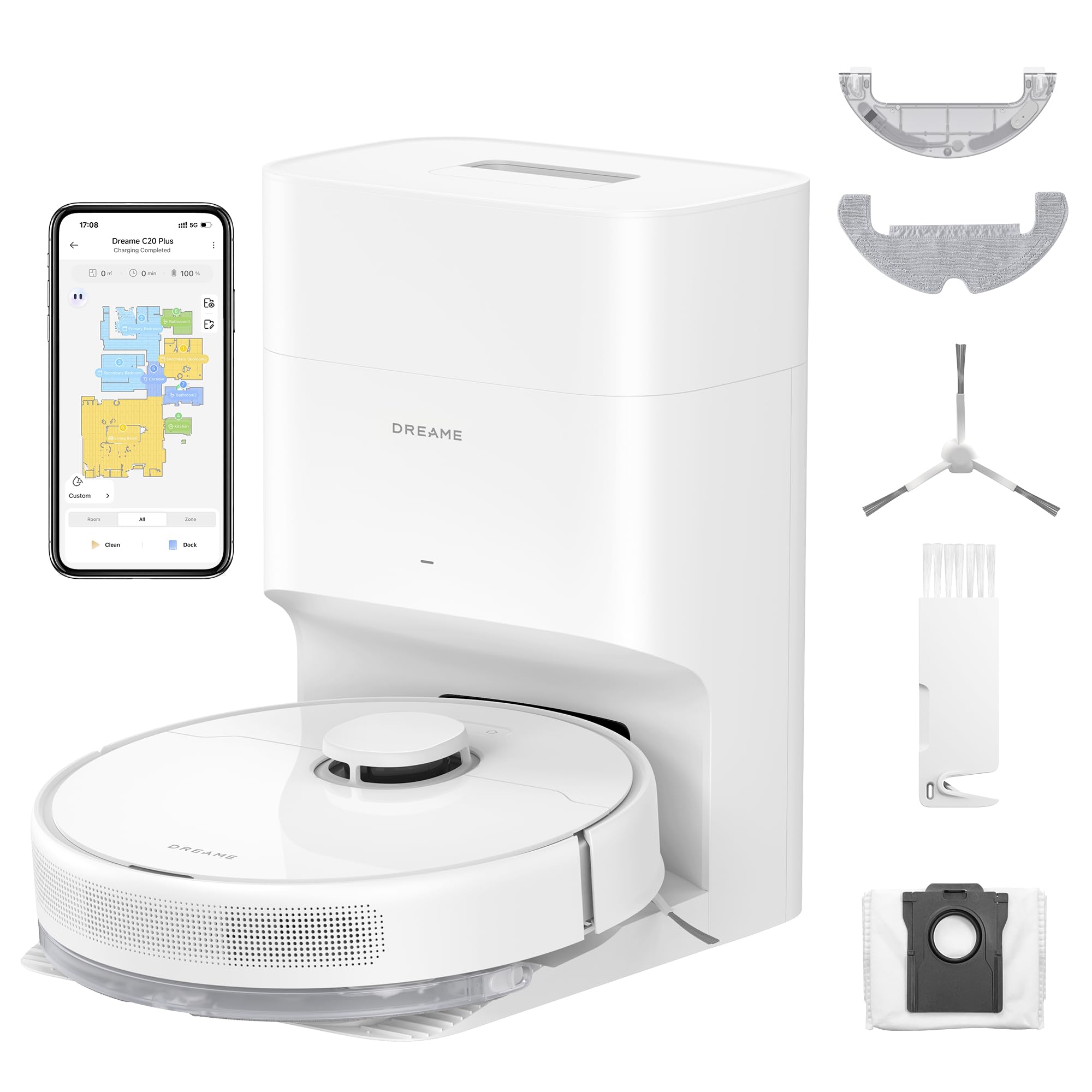
Quick Specs
| Feature | Specification |
|---|---|
| Suction Power | 6000Pa |
| Battery Capacity | 5200mAh |
| Dust Bag Capacity | 4L (Approx. 90 days) |
| Navigation | LiDAR + Obstacle Avoidance |
| Control | Dreamehome App, Alexa, Google Assistant |
Bottom Line
If you want a near-hands-off vacuum that manages pet hair and large areas with minimal emptying, the C20 Plus is worth considering. Buy it now if reducing daily floor maintenance matters to you.
Why I Bought It
My floors were getting swamped by dog hair and daily crumbs, and I needed something that actually cleaned without constant babysitting. I looked at basic robot vacuums and pricier models with fancy bells, but I wanted solid suction, reliable mapping, and a self-emptying bin to cut down the maintenance.
After a few uses the C20 Plus handled pet hair and mapped my rooms accurately, which saved me from manual touch-ups. The mop feature felt underwhelming in my tests, so I bought it mainly for vacuuming and the convenience of less frequent emptying rather than flawless mopping.
Key Features
I used the C20 Plus for several weeks and focused on how its headline features actually affect daily cleaning. Below I break down what worked, what annoyed me, and how each feature played out in real homes.
Self-Emptying Base
The base reliably pulled debris out of the robot so I only emptied the bag every few weeks. It keeps dust contained, which helped with my allergies, but the sealed bag does add ongoing cost and occasional fumbling when replacing it. The 4L capacity meant fewer maintenance sessions, which felt noticeably low-effort compared with emptying a small dustbin daily. This “DualBoost” auto-empty system is aggressive—it makes a loud whoosh for about 10 seconds, but it successfully clears the onboard bin even when it’s packed with fluff.
Powerful 6000Pa Suction
The suction felt intense on carpets and pulled dog hair out of dense fibers that my old vacuum missed. On hard floors it was loud at top power and overkill for crumbs, so I mostly ran it at lower settings via the app. Powerful suction improved deep cleaning, but it can drain battery faster when run at maximum. The auto-boost feature helps here, kicking the motor into high gear only when it detects carpets, which balances power and runtime nicely.
LiDAR Navigation and Obstacle Avoidance
LiDAR mapping produced accurate floor plans and predictable routes through my living room. The robot navigated around furniture and avoided small obstacles well, which reduced stuck moments compared with camera-only bots. It still hesitated on very low, thin cables and some cluttered thresholds, so a quick tidying pass beforehand remains useful. The mapping speed is impressive; it generated a full map of my apartment in its first “fast mapping” run without actually cleaning, saving battery.
Mop Attachment
The C20 Plus includes a mop pad for light hard floor maintenance between deeper cleans. It handles dust and minor spills fine, but you’re rinsing the pad yourself — the dock is a simple sealed-bag station with no water supply or mop washing. If you want auto mop cleaning and drying, that’s Dreame’s Ultra series at 2-3x the price. For what it is, the mop pad adds a nice finishing pass after vacuuming, just don’t expect it to replace actual mopping.
App & Smart Features
Once paired, the Dreamehome app offers granular control that elevates the experience above basic remotes. I used it to set “No-Go Zones” around my dog’s water bowl—a critical feature to prevent wet accidents. You can also schedule cleaning routines, adjust water flow levels for mopping, and view the cleaning path in real-time. While the initial setup had hiccups, the day-to-day app usage was stable and responsive.
Long Battery Life
The battery lasted multiple rooms in my 1,200 sq ft layout without needing a recharge, matching the advertised long runtime in real use. It recharged and resumed reliably when needed, so large-area cleanings completed with minimal intervention. High-suction modes and repeated mopping shortened runtime noticeably, so planning cleanup power levels matters.
Pros and Cons
Pros
- I loved how little hands-on work this vacuum demands. The self-emptying base holds months of debris in a sealed bag, so I only deal with dust every few weeks.
- The suction felt noticeably strong around pet hair and rug edges; that power translates to fewer passes and quicker cleanups.
- LiDAR mapping made runs efficient and predictable. It learned my rooms fast and avoided my dogs’ scattered toys more reliably than older bots I’ve used.
- The included mop pad adds a light finishing pass on hard floors after vacuuming, which kept my tile looking fresher between manual mopping sessions.
- Long battery life let it finish a full cleaning of my larger floor plan without constant recharges, which saved me from babysitting its schedule.
Cons
- The mop is a basic pad you rinse manually — there’s no auto-wash or drying in the dock. It handles dust and light spills but won’t tackle dried-on messes or replace a real mop.
- Setup took longer than I expected: bracketing the base and app pairing required a few tries to get right.
- The sealed dustbag system is convenient but adds a recurring cost and occasional waste-handling annoyance when it’s time to replace bags.
- A few users report reliability issues and limited after-sales response; I didn’t experience a major failure, but that risk is worth noting if you expect flawless long-term support.
Final Verdict
After using it for weeks, I can say the C20 Plus handles daily hair and dust cleanup with minimal babysitting. Its mapping keeps runs efficient and the self-emptying base actually cuts down how often I touch the dustbin.
The mop pad is fine for light maintenance but it’s a manual-rinse attachment, not the auto-cleaning system you get on pricier models. Setup and app control were straightforward, and suction impressed on rugs and hard floors alike.
Good pick if you want a mostly hands-off vacuum that tames pet hair and routine messes. Skip it if you need serious mopping automation or if you want full-stack reliability without occasional hiccups.
Frequently Asked Questions
I ran the C20 Plus through daily use for a few weeks, so these answers come from practical experience rather than specs alone.
Is the DREAME C20 Plus’s battery life sufficient for larger homes?
Yes — in my house the battery lasted long enough to clean the main floor in a single run. The advertised long runtime translated to real coverage: it completed multiple rooms without returning to charge. If you have an extra-large home or many rooms with thick rugs, expect it to recharge mid-job for full coverage.
Can the DREAME C20 Plus effectively pick up pet hair without clogging?
It handled pet hair well overall; suction pulled fur out of low- to medium-pile carpets and hard floors with few pass-throughs. I did need to clear hair occasionally around the main brush, especially after heavy shedding days. The self-emptying base reduced how often I had to touch fur, but brush maintenance still matters for continual performance.
How does the DREAME C20 Plus perform compared to other robot vacuums in its price range?
It feels like a step up in suction and navigation versus budget models I’ve used; LiDAR mapping keeps it deliberate and thorough. The mop system and sealed dustbag are nicer touches than many peers, but the mop didn’t remove stubborn grime as well as a manual mop. Overall, you get stronger cleaning and smarter navigation for the money, though occasional upkeep (brush checks, mop tank refills) remains.
Does the Dreame C20 Plus require Wi-Fi to work?
You can start basic cleaning with the physical buttons on the robot, but to access the smart features like mapping, No-Go Zones, and scheduling, you need a stable 2.4GHz Wi-Fi connection and the Dreamehome app.