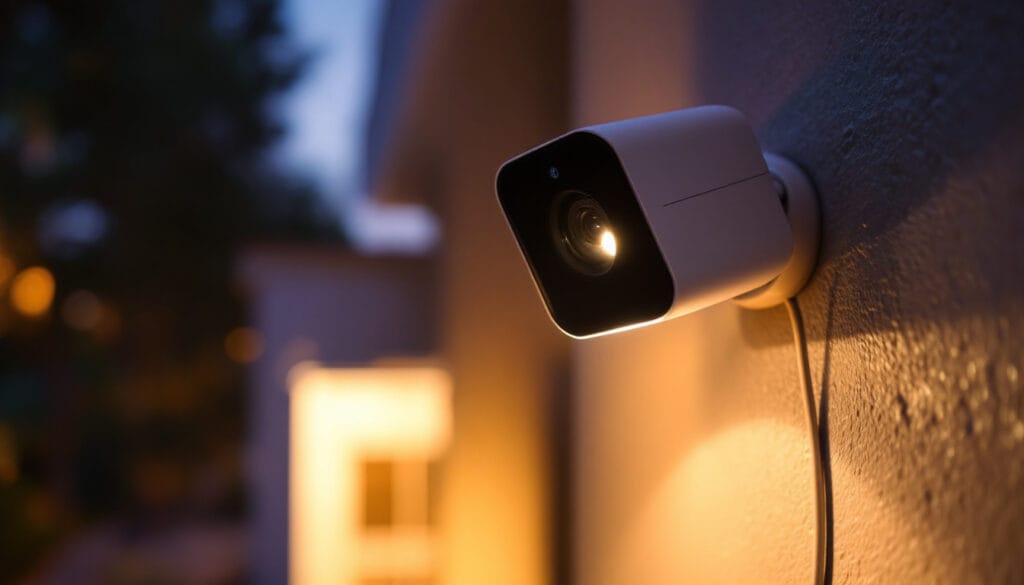
Grainy night footage that never shows who is actually at the door is the problem most people want a better security camera to solve. The Wyze Cam v4 is aimed squarely at that: a budget wired camera with 2.5K resolution, color night vision and a built-in spotlight. I don’t own this camera, so this review is built from Wyze’s own documentation and what owners report, and the verdict below is a research-based one.
The short version: the specs and owner feedback point to a strong, cheap camera for clear video and local recording, with a few real caveats around Wi-Fi stability, 2.4 GHz-only connectivity and event features that sit behind a Cam Plus plan.
Check the current price on Amazon
Bottom Line
If you want a cheap, easy-to-install home security camera with color night vision, a spotlight and free local recording, the Wyze Cam v4 looks worth considering based on the specs and owner reports. Check the price on Amazon, since it changes often, and read the complaints section below before you decide.
Why It Stands Out
Three things set the v4 apart on paper. First, the picture: Wyze lists 2.5K QHD video (2560 × 1440) with 8× digital zoom and WDR. Second, the night setup: color night vision backed by a CMOS Starlight sensor, four 850 nm infrared LEDs and two 5000 K spotlight LEDs rated at 72 lumens.
Owners and reviewers also praise local microSD recording without a subscription, which is a big part of the appeal for anyone who doesn’t want another monthly bill. The v4 also suits both indoor and outdoor placement, since Wyze rates it IP65.
The drawbacks are just as consistent. Owners report Wi-Fi dropouts and offline cameras, some night-vision or IR problems, microSD playback glitches and a few units failing early. Some also complain that event features they expected to be free require a Cam Plus plan. None of that makes the v4 a bad buy at this price, but it shapes who should buy it.
Design and Setup
The v4 is a compact camera. Wyze lists dimensions of 2.64 × 2.28 × 3.98 inches and a weight of 0.49 lb (222 g), with a plastic body and a glass lens. It is powered through a 6-foot micro-USB cable and a 5V/1A adapter, so it stays plugged in rather than running on a battery.
The single-camera box includes the camera, a Quick Start Guide, a wall-mount plate, wall-mount plate tape, a screw kit, an indoor USB power adapter and the 6-foot micro-USB-to-USB-A cable. Wyze sells several accessories separately and lists them as compatible: an outdoor power adapter, a window mount, a Lamp Socket, a 20-foot extension cable and microSD cards. If you plan a true outdoor install, the outdoor adapter and a card are the two extras to price in. The camera itself does not come with a microSD card in the single-camera box.
According to Wyze’s setup guide, setup is done in the Wyze app. You install the app, connect your phone or tablet to a 2.4 GHz Wi-Fi network, remove the packing materials and lens film, then power the camera with the included cable and adapter. In the app you go to Home, then the plus icon, then Device, Cameras, Wired Camera and Wyze Cam v4. If the camera hasn’t announced “ready to connect,” Wyze says to press its SETUP button. You then enable Bluetooth access when prompted, choose your 2.4 GHz network, enter the password and name the camera.
Wyze lists phone compatibility as Android 9.0 or later and iOS 15.0 or later. One practical note: because the camera works on 2.4 GHz only, a router that splits bands needs the 2.4 GHz network available during setup. For more on avoiding rough installs, my guide to smart home mistakes you can skip covers the usual traps.
Key Features
Here is what the headline features are according to Wyze, and how owners and reviewers describe them. For a wider look at why features like these matter, see these everyday tech upgrades, and my notes on why smart gadgets can be genuinely useful.
2.5K QHD Resolution
The v4’s 2.5K resolution is its main selling point. Wyze lists 2560 × 1440 video, 8× digital zoom and WDR for balancing bright and dark areas in the same frame. The listed field of view is 115.8° diagonal, 98.5° horizontal and 53.1° vertical, which is wide enough to cover a porch or a room from one spot.
Frame rates are 20 fps by day and 15 fps at night, with H.264 encoding. Owners and reviewers praise the sharp picture. The trade-off with higher resolution is that it needs a stable connection, and owners report Wi-Fi dropouts on some units, so a weak 2.4 GHz signal is the thing to fix first.
Color Night Vision
The camera uses a CMOS Starlight sensor, and Wyze lists both four 850 nm infrared LEDs and two 5000 K spotlight LEDs. In practice, the color mode leans on the spotlight and the sensor to pull in usable light, and reviewers describe the result as spotlight-assisted color night vision. That means color holds up best where there is some light to work with, and very dark areas fall back toward the infrared look.
Some owners report night-vision or IR problems, so it is worth checking the picture soon after you mount it and keeping the return window in mind.
Motion Spotlight and Siren
The two spotlight LEDs are rated at 72 lumens, and Wyze lists a 99 dB siren alongside them. Together the light and siren are the deterrent side of the camera: a light that comes on when something moves, plus an alarm you can trigger. Placement matters, since any motion-triggered light can fire on branches or animals. You can tune detection to cut down on unwanted alerts.
Audio and Two-Way Talk
Wyze lists a built-in digital microphone and simultaneous two-way audio, so you can talk and listen at the same time through the app. That is useful for speaking to a visitor or checking on a room.
Local Storage and Memory Cards
Wyze lists both cloud storage and local storage on microSD cards up to 512 GB in exFAT format. Recording to a card is the main way to get footage without paying for a plan, and owners and reviewers praise it. The catch is that a card isn’t included in the single-camera box, and some owners report microSD playback glitches, so pick a card from a reputable brand and format it as Wyze specifies.
Weather Resistance
Is the Wyze Cam v4 waterproof? Wyze rates it IP65 for indoor or outdoor use, and lists operation from -4°F to 122°F (-20°C to 50°C). It is not rated for submersion. For an exterior install, Wyze lists a separate outdoor power adapter as a compatible accessory, so plan for that.
Wi-Fi, Bluetooth and Voice Assistants
Connectivity is 2.4 GHz Wi-Fi (802.11 b/g/n) plus Bluetooth 5.2. The big limitation is that it is 2.4 GHz only, with no 5 GHz support, which matters if your router splits bands. Wyze lists Alexa, Google Assistant and IFTTT integrations.
Wyze Cameras and the Smart Home
Wyze lists Alexa, Google Assistant and IFTTT, but its published integrations do not include Apple Home or Matter. If your smart home runs on Apple Home, this camera will not fit natively. For everything else, it works as a straightforward add-on to an Alexa or Google setup. If you are building around voice control, the guide to Matter and AI in the smart home explains where this camera sits, and the list of Alexa-compatible security systems shows the alternatives.
Recent Firmware Updates
Wyze keeps updating the v4. Its forum lists firmware 4.52.17.19 on September 14, 2026, with audio-noise, event-upload stability and network-stability fixes. A later release, 4.52.17.27 on November 10, 2026, lists a fix for frequent device reboots plus security improvements, with a gradual rollout. Given the Wi-Fi and stability complaints owners raise, these updates are a good sign, though I can’t say how much they fix for any one unit.
Pros and Cons
Pros
- Owners and reviewers praise the sharp 2.5K picture, which Wyze lists at 2560 × 1440 with 8× digital zoom and WDR.
- The color night vision, backed by a Starlight sensor and two 72-lumen spotlight LEDs, is one of the most praised parts of the camera.
- Local microSD recording works without a subscription, with cards up to 512 GB in exFAT format.
- IP65 rating and a -4°F to 122°F operating range cover indoor and outdoor placement.
- Two-way audio and a 99 dB siren add useful deterrent and communication tools.
- It works with Alexa, Google Assistant and IFTTT, and the price is low for what it does.
Cons
- Owners report Wi-Fi dropouts and cameras going offline, and the camera is 2.4 GHz only.
- Some owners report night-vision or IR problems, microSD playback glitches and units failing early.
- Some event features owners expected to be free require a Cam Plus plan.
- No Apple Home or Matter support in Wyze’s published integrations.
- A microSD card is not included, and the outdoor power adapter is a separate purchase for exterior installs.
Owner Complaints
The complaints are worth taking seriously because they cluster around a few themes: connectivity (Wi-Fi dropouts and offline cameras), night-vision or IR issues, microSD playback glitches and early unit failures. Wyze has also had publicized security and privacy incidents, which some buyers weigh when deciding whether to put a camera in a bedroom or nursery.
Who the Wyze Cam v4 Suits
Based on the specs and owner feedback, the v4 suits buyers who want a budget-friendly camera with clear video, color night vision and local recording. It is a good fit if you value easy setup, Alexa or Google compatibility, and the option to skip a subscription by using a microSD card.
Skip it if you need Apple Home or Matter, if your router only offers 5 GHz, or if you can’t tolerate any chance of Wi-Fi dropouts. It is also not the pick if you want smart event detection included at no extra cost, since that sits behind a plan. If you are still comparing, my roundup of smart home security cameras and the review of the Wyze Wired Doorbell Camera v2 are the two places to look next.
What the Subscription Adds
For the core job of seeing live video and recording to a card, you don’t need one. Wyze’s current comparison lists no-plan features as motion and sound detection, thumbnails and a five-minute delay between recordings, and local microSD recording works without any subscription plan.
Cam Plus is where the smarter features live. Wyze lists it at around $4 per month or around $30 per year per camera, and says it adds 14-day event clips, back-to-back recordings, richer notifications, listed AI detections and Web View. If you want filtered alerts and cloud clips for one key camera, that is a reasonable cost.
The cost climbs with more cameras. Wyze lists Cam Unlimited at around $10 per month or around $100 per year for unlimited cameras, adding features such as Friendly Faces, critical alerts, services sharing and self-monitoring. Cam Unlimited Pro is around $20 per month or around $200 per year and adds 60-day event storage, AI video search, Wyze Stories and emergency dispatch. A practical middle ground is to put the cloud plan on the one or two cameras that matter most and use microSD cards on the rest. Check Wyze’s page for the current plan prices before you commit.
Final Verdict
My research-based verdict: the Wyze Cam v4 looks like one of the better budget cameras for clear video and color night vision, with free local recording as a real advantage. The 2.5K resolution, spotlight and IP65 rating cover most of what a home buyer wants for the price.
The trade-offs are connectivity and plans. Owners report Wi-Fi dropouts and some early failures, the camera is 2.4 GHz only, and the smarter detections sit behind a Cam Plus subscription plan. Recent firmware releases suggest Wyze is working on stability. If you can live with 2.4 GHz and a microSD card, it is a strong pick; if you need Apple Home support or fee-free smart detection, look elsewhere. For the best price, check Amazon for the current listing.
Frequently Asked Questions
How is the night video quality?
Wyze lists color night vision backed by a CMOS Starlight sensor, four 850 nm infrared LEDs and two 72-lumen spotlight LEDs, and owners and reviewers praise the result. Color holds up best with the spotlight or some ambient light, and very dark areas lean on infrared. Some owners report night-vision or IR problems, so check the picture after you mount it.
Can I use it without a paid subscription?
Yes. Wyze lists local recording to microSD cards up to 512 GB in exFAT format, and its no-plan tier includes motion and sound detection and thumbnails with a five-minute delay between recordings. A card is not included in the single-camera box, so you need to buy one. Cam Plus adds event clips and AI detections, but it isn’t required for basic use.
Is the Wyze Cam v4 waterproof?
Wyze rates it IP65 for indoor or outdoor use, which covers dust and water jets such as rain. It is not rated for submersion. For outdoor use, Wyze lists a separate outdoor power adapter as a compatible accessory.
Does the Wyze Cam v4 work with Alexa, Google Assistant or Apple Home?
Wyze lists Alexa, Google Assistant and IFTTT integrations. Its published integrations do not include Apple Home or Matter, so it won’t appear natively in Apple’s Home app.
Does it work on 5 GHz Wi-Fi?
No. The camera supports 2.4 GHz Wi-Fi (802.11 b/g/n) and Bluetooth 5.2, and Wyze’s setup guide says to connect your phone to a 2.4 GHz network before setup. If your router splits bands, make sure the 2.4 GHz network is available.
How do I set up the Wyze Cam v4?
According to Wyze’s setup guide, install the Wyze app, connect your phone to 2.4 GHz Wi-Fi, remove the packing materials and lens film, and power the camera with the included cable and adapter. In the app, choose Home, the plus icon, Device, Cameras, Wired Camera and Wyze Cam v4, press the SETUP button if the camera hasn’t announced “ready to connect,” enable Bluetooth when prompted, pick your 2.4 GHz network, enter the password and name the camera.
What does Cam Plus add?
Wyze lists Cam Plus at around $4 per month or around $30 per year per camera. It adds 14-day event clips, back-to-back recordings, richer notifications, listed AI detections and Web View. For multiple cameras, Cam Unlimited is around $10 per month or around $100 per year for unlimited cameras.
Does the Wyze Cam v4 work with Alexa to show the feed?
Wyze lists Alexa as a supported integration, so the live view can be pulled up through Alexa on an Echo device with a screen. More advanced camera settings stay in the Wyze app. If you are choosing an Echo with a screen, my Amazon Echo Spot review covers the one I use.