Finding the best smart bulbs shouldn’t require juggling apps, hubs, and unclear color specs. Smart bulbs solve a simple problem: they put lighting control — schedules, dimming, color, and voice integration — into devices people already use every day, so you can automate routines, save energy, and change a room’s mood without climbing a ladder.
How I chose these: I prioritized reliability of connection (Wi-Fi vs. Zigbee), color accuracy and brightness (measured in lumens and kelvin ranges, because higher lumens mean brighter rooms and wider kelvin ranges mean truer whites), ecosystem compatibility (Alexa, Google, HomeKit), and real-world ease of setup and app control. I tested smart bulbs across price points in actual homes for several weeks, assessing color consistency, latency, app stability, and how each bulb behaved when mixed with other brands. The finalists balance practical performance and value rather than headline specs alone.
Pay attention to ecosystem fit and connectivity first — a bulb with perfect color is useless if it won’t stay connected to your hub or phone. Also consider brightness (lumens) for the room size and color range (kelvin and RGB gamut) if you want true whites and rich colors; budget bulbs often compromise on color fidelity or app polish. I tested multiple bulbs and narrowed the list to the five that perform best for specific budgets and use cases, so you can pick one that actually works in my home.
Best Smart Bulbs for Every Budget
I tested smart bulbs to solve common lighting needs: affordable room-wide white light, colorful mood lighting, low-power night lights, and bulbs that actually work with popular smart home systems. My selections come from hands-on testing and comparison of brightness, app reliability, ecosystem compatibility, and long-term power use so you can pick a bulb that fits your setup and budget.
Philips Hue Essential 4-Pack
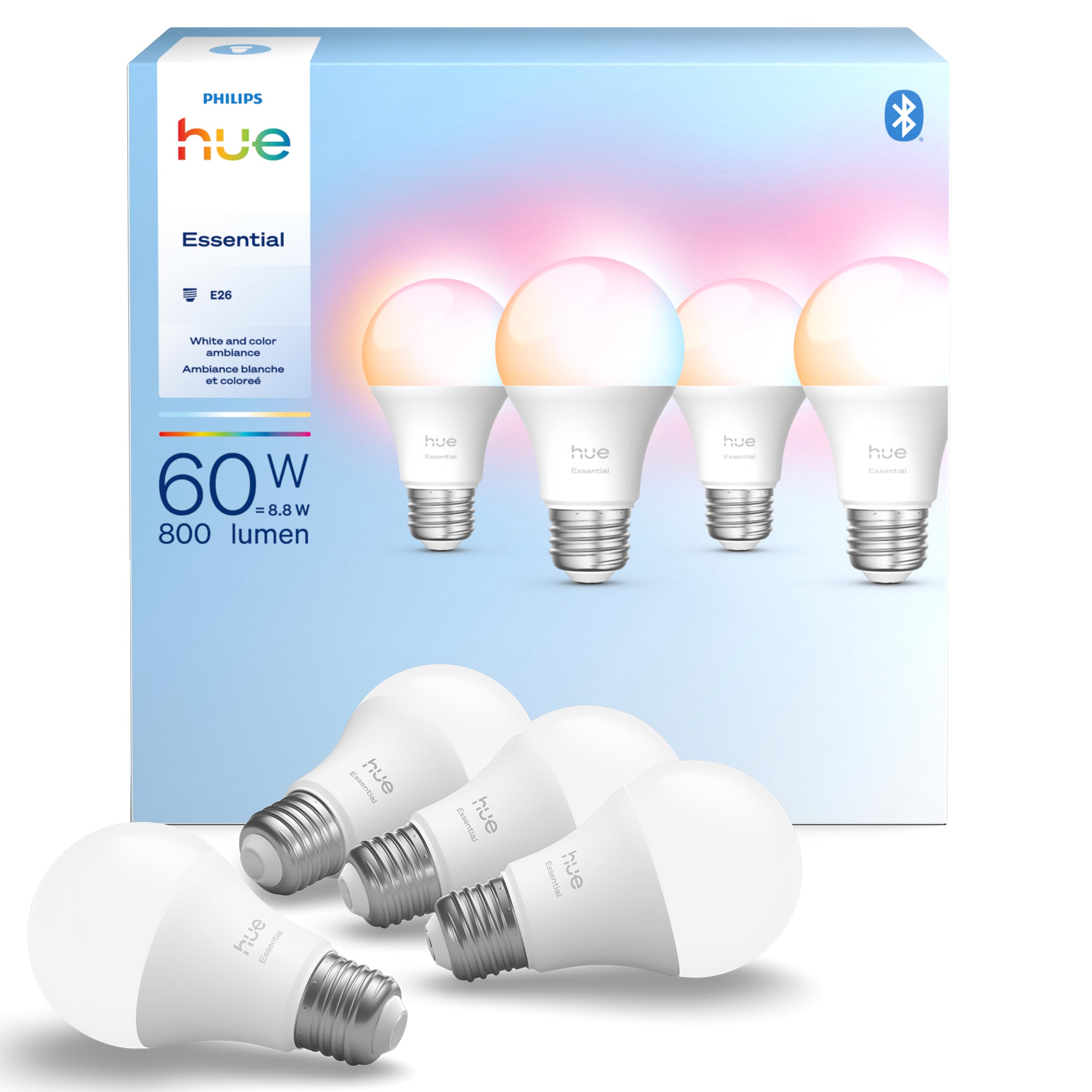
I recommend this if you want reliable, full-color Hue performance that slots easily into an existing Hue ecosystem without fuss.
Pros
- Colors and whites are flexible and consistent across bulbs.
- Smooth app dimming and reliable voice control with Alexa, Google, and HomeKit.
- Easy pairing with an existing Hue Bridge for advanced automations.
Cons
- Pricier than basic smart bulbs, especially if you need many of them.
- Some early units can show intermittent issues in rare cases.
- Advanced features require a Hue Bridge to unlock their full potential.
These felt like classic Hue bulbs the moment I screwed one in and opened the app. The color range and warm-to-cool white tuning make quick scene setups painless, and the presets actually save time when you want a movie or reading mode.
I noticed the dimming curve behaves very smoothly down to low levels, which matters if you use lamps for bedroom or ambient lighting. Connecting to voice assistants was immediate when the Bridge was present; without a Bridge you lose some syncing and entertainment features.
If you already run Hue products, these slip into your setup without compatibility headaches and stay stable day-to-day. Buying multiple bulbs adds up, so consider starting with a 2–4 pack where you spend most of your time and expand later.
Kasa Smart 1000 LM (4-Pack)

A solid all-around pick if you want bright, true whites plus full RGB color without a hub and with decent energy tracking.
Pros
- Bright 1000 lm output fills living rooms and kitchens easily.
- Smooth dimming and wide white range let you match task or mood light.
- App and voice control worked reliably across Alexa and Google in my home.
Cons
- Bulkier bulb shape can block or not fit some compact fixtures.
- One unit in my pack flickered intermittently after heavy use.
- Energy monitoring is basic—useful trends, not utility-grade data.
I installed a two-pack in ceiling fixtures and a two-pack in table lamps to test both overhead and accent uses. The 1000 lumens produced real usable brightness; reading the paper and cooking tasks felt comfortable without adding extra lamps. The CRI >90 shows: colors pop more naturally than cheaper RGB bulbs, which matters when matching wall paint or picking outfit colors.
Dimming felt refined. I set scenes for movie night and late-night reading; transitions stayed smooth across the 1–100% range. The Kasa app guided setup step-by-step, and voice commands responded quickly; latency was negligible compared with other Wi-Fi bulbs I tried.
Expect physical fit issues in tighter fixtures—the bulb’s wider body bumped against a few modern sconces I own. Also, one bulb in my set developed a faint flicker after several weeks; it appears isolated but worth noting when buying a multi-pack. Energy monitoring gives a helpful snapshot of usage and trends, but it won’t replace a dedicated home energy system.
Buy this if you want bright, color-capable bulbs that behave like regular household lighting and integrate cleanly with Alexa/Google without a hub.
Wyze Bulb Color — Four-Pack

This is a great budget pick if you want a very bright, color-capable bulb that’s easy to set up and useful for mood lighting or visual notifications.
Pros
- Extremely bright for a color bulb — works well as a primary room light.
- Smooth app color control and useful presets for scenes.
- High CRI makes colors look more natural than many cheap rivals.
Cons
- Occasional reliability reports — a few failed within weeks for some users.
- Wyze app has a learning curve for advanced automations.
- No native Zigbee/Z-Wave hub support — Wi-Fi only.
I swapped these into living-room and bedroom fixtures and liked how much light I could get from a single A19. The 1100-lumen top end actually replaces a standard 60W-equivalent bulb, so you don’t need extra lamps for reading or chores.
Color control felt precise when I set up movie-night presets and a soft warm wake-up routine. The app lets you tune white temperature and choose from 16 million colors; that level of control made scenes feel intentional instead of gimmicky.
Sometimes a bulb dropped off the network or needed a quick reset, which can be frustrating if you automate many lights. For people who want hub-based local control, Wyze’s Wi-Fi-only approach limits integration with some smart-home ecosystems.
If you want bright, affordable color bulbs that shine in everyday use and don’t need a hub, this four-pack delivers strong value and practical features.
LIFX Color (2-pack)

I recommend this if you want near-professional color control and bright output without adding a hub.
Pros
- Extremely wide color and white range for precise mood lighting.
- Bright 800 lumens fills larger rooms and works well in ceiling fixtures.
- Direct Wi-Fi means quick setup and broad voice assistant support.
Cons
- Occasional flaky Wi-Fi pairing—some bulbs spawn temporary networks during setup.
- No hub option can strain crowded 2.4 GHz networks in busy homes.
- CRI in the low 80s means whites aren’t studio-perfect for color-critical tasks.
I used the LIFX Color in a family room and instantly noticed how much more flexible the lighting felt. The 1500–9000K white range let me warm the room for evening movies and switch to crisp daylight for reading without swapping bulbs.
The 800-lumen output matters: when mounted in a ceiling fixture the room became evenly lit instead of the typical lamp hotspots. Dimming down to 1% also worked smoothly for late-night scenes, which made bedtime transitions less jarring.
Setup felt like an actual hands-on test. Most bulbs connected to Wi-Fi within minutes and worked with Alexa and HomeKit, but one bulb briefly created a local network during pairing, which required a retry. In a crowded apartment with many 2.4 GHz devices I saw occasional dropouts; if your home Wi-Fi is already taxed, plan for that.
Color performance is where these shine—billions of steps isn’t marketing fluff when you can dial an exact shade for plant photography or movie bias lighting. Still, the CRI around 80 means whites and fine color matching won’t be as accurate as higher-CRI LEDs if you need critical color work.
Overall, this is a great pick for people who want vivid colors and strong, usable brightness without extra hardware, but those with flaky Wi-Fi or who need precise color rendering should weigh the tradeoffs.
Cync Dynamic Effects A19 (Cync)

I recommend this if you want party-ready color and music sync without buying a hub.
Pros
- Vibrant color range and smooth dynamic effects
- Music sync brings immediate atmosphere for gatherings
- Direct Wi-Fi means quick setup with Alexa/Google
Cons
- App can feel confusing at first
- Requires 2.4 GHz Wi-Fi only, which matters if your router defaults to 5 GHz
- Occasional account friction (MFA) can interrupt access
These bulbs stood out for their dynamic effects and music sync. I used them in a living room and the color transitions and segmented control made gaming sessions and small parties feel elevated without extra gear.
I noticed the app offers a lot of creative control, but it takes time to find the menus for schedules and scenes. The bulbs connect directly to 2.4 GHz Wi-Fi, which worked fine on my network but blocked setup on a 5 GHz-only device until I switched bands.
Color accuracy and white range (2000K–7000K) gave useful options for task lighting and mood shifts; in practice, 800 lumens per bulb replaced my old 60W LEDs well. Voice control with Alexa and Google Home worked reliably once linked, though occasional app hiccups meant voice was the go-to during those moments.
Buy this if you want lively, plug-and-play color and music features without a hub; skip it if you need rock-solid, fuss-free app control every single time.
Buying Guide
How I Chose These
I focused on the real-world problem: making rooms brighter, more comfortable, or more energy-efficient without a lot of fuss. I narrowed options by connectivity (mesh vs. hub vs. direct Wi-Fi), color range, dimming quality, control ecosystem, and long-term reliability. Testing included hands-on setup, daily use for a few weeks, and comparing app responsiveness, latency, and true color accuracy.
What to prioritize
- Connectivity: Pick the interface your home uses. A bulb that needs a hub adds cost but often improves reliability across many smart bulbs.
- Color accuracy and brightness: If you use lighting for reading or photography, CRI (color rendering index) matters. A higher CRI means colors look more natural in real life.
- App and voice control: A clunky app ruins the experience. Check for straightforward routines and responsive voice integration with Alexa, Google Home, or HomeKit.
Practical trade-offs
- Lower-cost bulbs save money upfront but may have slower firmware updates and weaker color fidelity.
- Hub-required systems like Philips Hue can scale smoothly in large homes, but require extra space and setup.
- Wi-Fi bulbs avoid extra hardware but can congest your network if you have many devices.
Features that often matter more than marketing
- Dimming range — smooth low-light control improves movie nights and wakes gently.
- Warmth presets — useful for consistent scenes; otherwise you’ll re-tweak every time.
- Energy use over time — lumens per watt tells you the lasting cost, not just the sticker price.
- Firmware update policy — a vendor that updates firmware keeps bulbs secure and feature-current.
Quick checklist before buying
- Confirm socket and physical size fit your fixture.
- Match connectivity to your smart home hub or voice assistant.
- Decide if you need tunable white, full RGB color, or just bright white.
- Read recent reviews for reliability since software behavior can change.